Karnataka Bank to Bank Transfer
Step 1: Open your Karnataka Bank app by unlocking it with pin or biometric.
Step 2: Select option “Funds Transfer” to transfer funds to another bank account.
Step 3: Go to Quick Transfer, enter bank account and IFSC number and Receiver’s name.
Step 4: Enter Desired amount to pay.
Step 5: Enter your OTP and click on proceed to complete the transaction.
Step 6: Copy UPI Ref. no. / Transaction ID and now you can use this UTR on website or wherever needed.
Step By Step Process Of Karnataka Bank to Bank Transfers
STEP 1
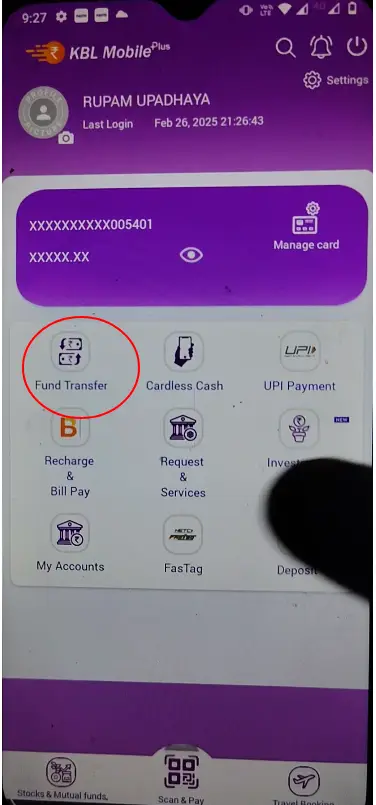
Open your Karnataka Bank app by unlocking it with pin or biometric.
STEP 2
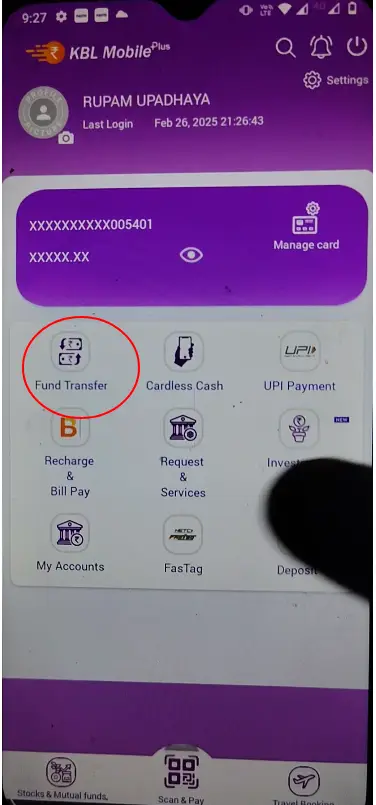
Select option “Funds Transfer” to transfer funds to another bank account.
STEP 3
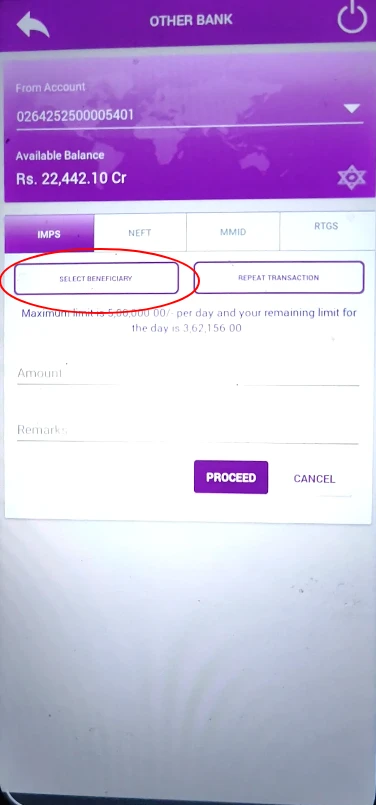
Go to “Select Beneficiary” select or add new Beneficiary.
STEP 4
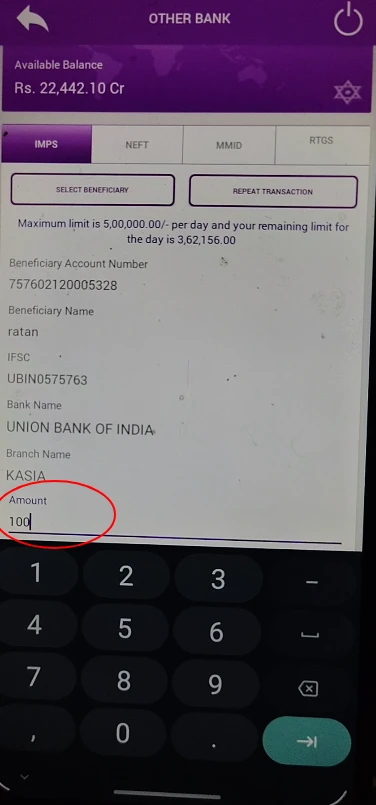
Enter Desired amount to pay.
STEP 5
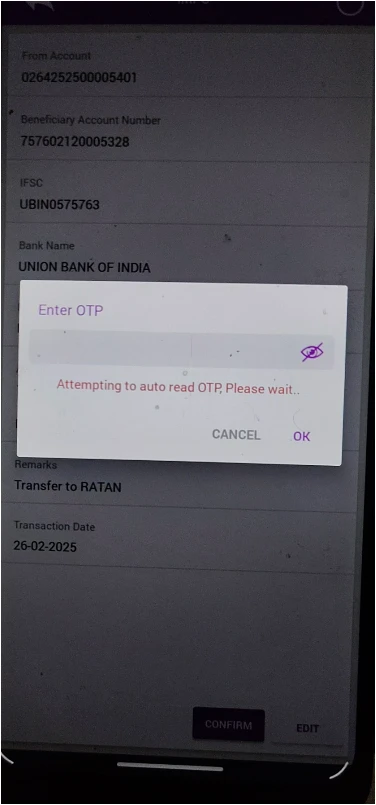
Enter your OTP and click on “OK” to complete the transaction.
STEP 6
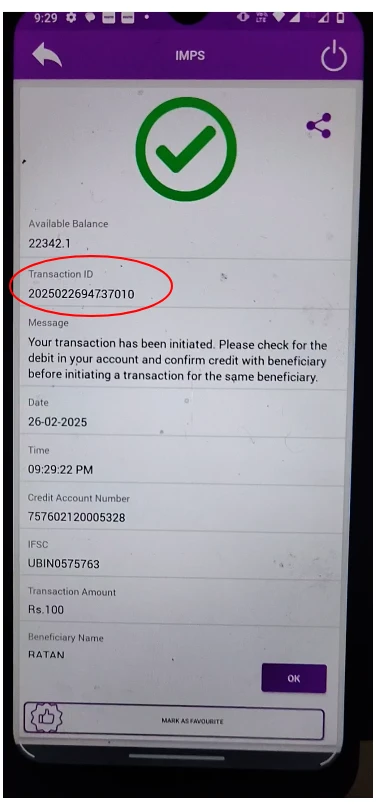
Copy UPI Ref. no. / Transaction ID and now you can use this UTR on website or wherever needed.